Skip to content
Sintérgica AI

UlúApp

Complete customs files, without chasing anyone by email.

The holder uploads documents, AI checks them against customs and tax rules, and your team decides. You also run each operation up to the Value Declaration.

  • 27 documents with their legal basis
  • Classification with the current tariff
  • A person decides what's critical
What changed

Since 2026, your brokerage also answers for your client’s data.

The Customs Law reform removed liability exclusions from Article 54: inaccurate information from the importer no longer clears you. And each client’s file still lives in emails, spreadsheets and folders, in the hands of very few people.

a week of one person's time assembling files, at the brokerage it was designed with
9 ha week of one person's time assembling files, at the brokerage it was designed with
documents a new file can require
27documents a new file can require
the 2026 RGCE rule that requires an electronic file per user
1.4.14the 2026 RGCE rule that requires an electronic file per user

Mexican Customs Law, reform DOF Nov 19, 2025, in force Jan 1, 2026 · RGCE 2026, rule 1.4.14

A customs file at the center, linked to the phone where the account holder uploads documents, the magnifying-glass review and the port of Veracruz with San Juan de Ulúa.
How it works

From the first document to the file the authority asks for.

Six steps in one place. Every step records who did what.

  1. 01

    You register the client

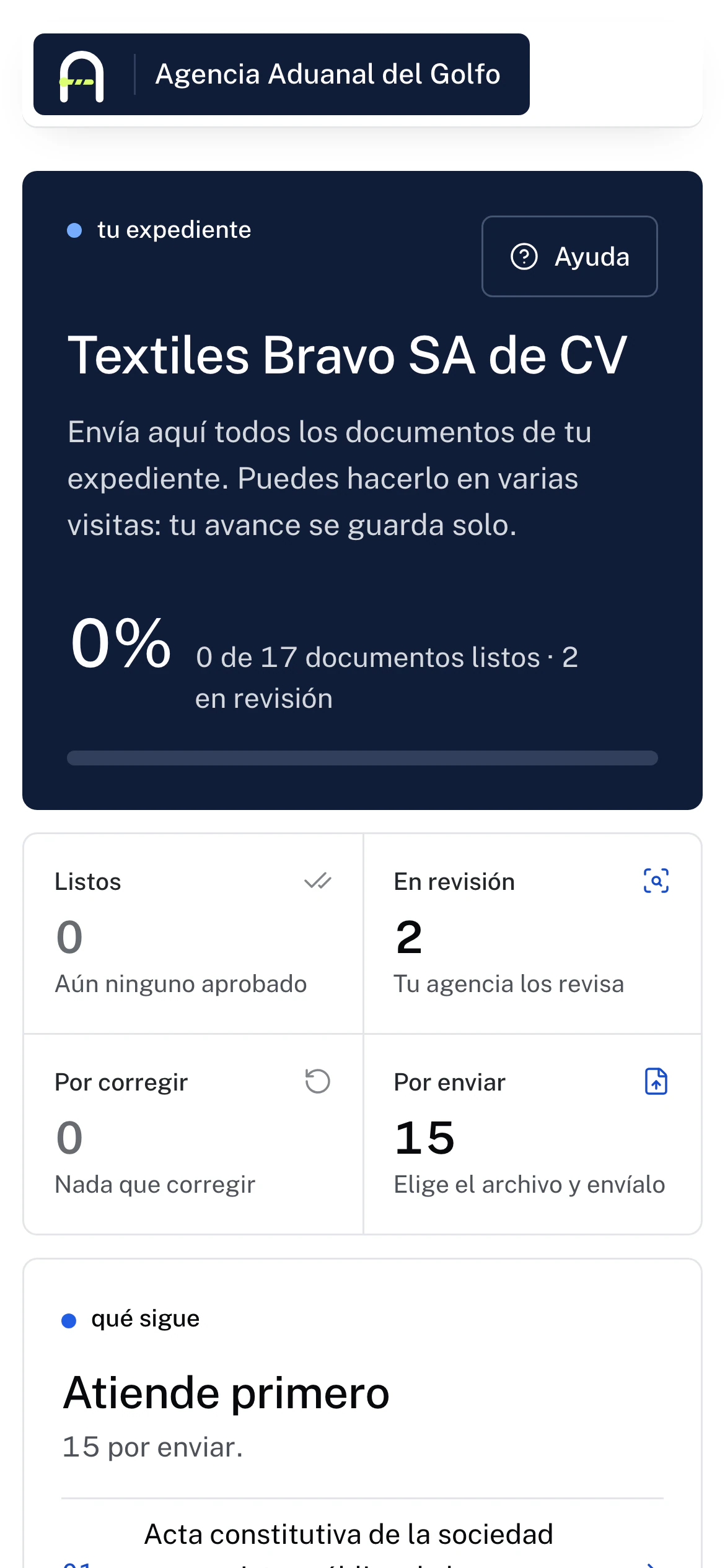
    Pick their profile (importer, exporter, trading company, intermediary, correspondent, supplier or one your brokerage creates) and UlúApp builds the document list that applies, with its legal basis. If your portfolio lives in Excel, bring it in at once.

  2. 02

    The holder uploads documents

    They get a link and a one-time code by email. They upload from the phone, sign your brokerage’s forms with their e.firma right there and always see what’s missing and how to fix it.

  3. 03

    AI reads, classifies and cross-checks

    It checks each document against Mexican customs and tax law, extracts its data and flags what doesn't match between documents.

  4. 04

    Your team decides

    Approving or rejecting is always a person's call, with the file in view. If rejected, the holder gets the reason and how to fix it.

  5. 05

    Expiry dates and renewals, on their own

    Reminders before each expiry and a heads-up to the person in charge if the client doesn't answer. Certificates the tax authority sends to your brokerage's mailbox are filed in the right file on their own.

  6. 06

    The file, ready for the authority

    Your Word forms fill themselves with the client's data and keep their design. The complete file downloads as a single archive, with an index of statuses and expiry dates.

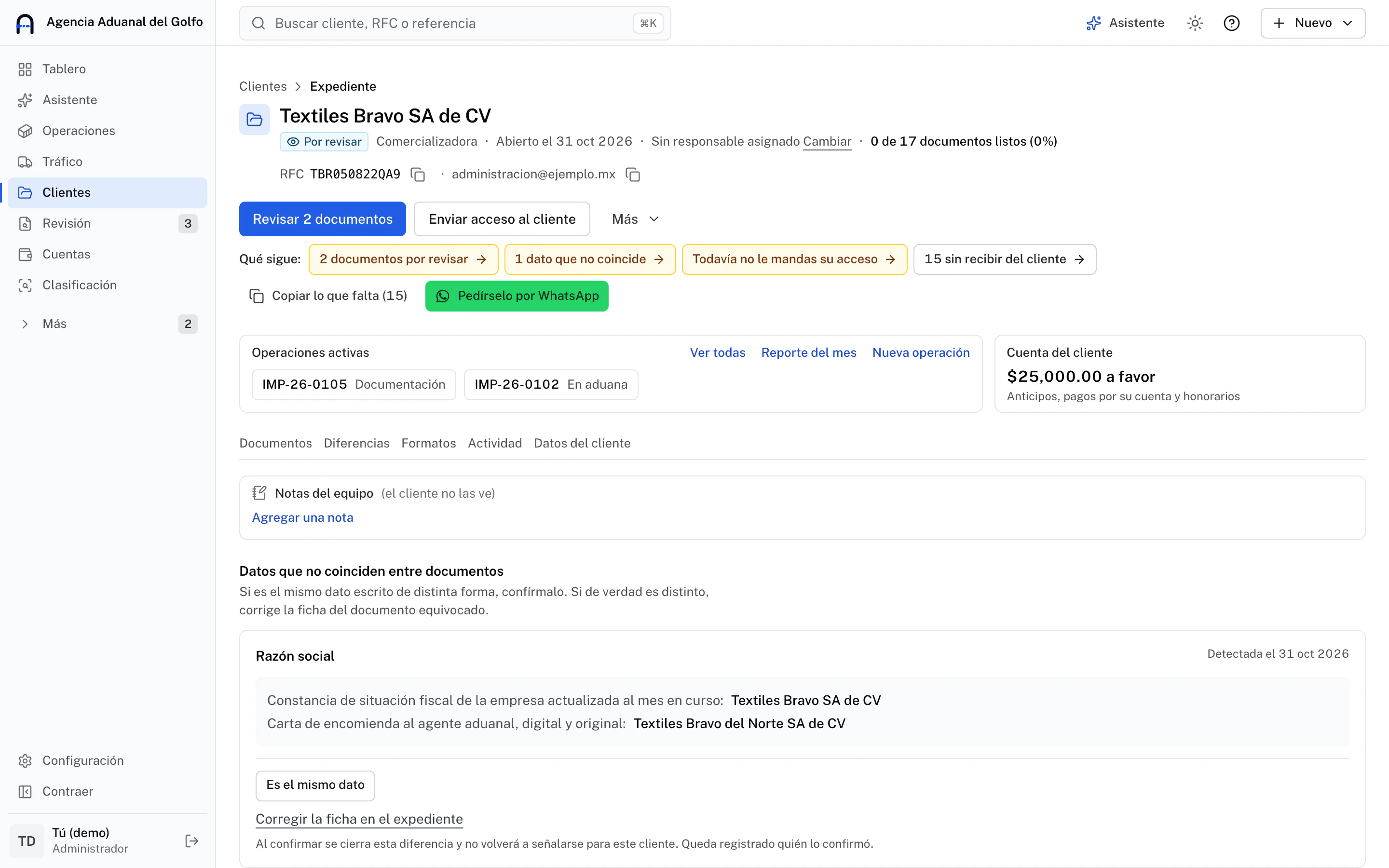
Example in UlúApp: a client's tax certificate arrives, the automatic review finds the legal name doesn't match the customs mandate, and a person rejects the document with the reason.
Controls

AI helps. Rules and people decide.

Every control exists so a machine error is caught before it reaches operations.

  • Critical documents always go through a person

    Articles of incorporation, powers of attorney and contracts go to human review by system rule, not by setting: nobody can skip it.

  • Auto-approval with a lock

    Only monthly renewals can be approved automatically, and only if a person already approved one, the reading has 0.9 confidence or more, the tax ID matches and the date is in the month. It ships off, and any approval can be sent back to review.

  • Data is cross-checked across documents

    If the company name, tax ID or address doesn't match between two documents, UlúApp flags it and someone confirms or corrects it.

  • The machine never stops the work

    If automatic review stops, the dashboard says so and the document goes to manual review. Your team keeps working.

  • Data hidden before it reaches the model

    In the text sent to the model, RFC, CURP, emails, accounts and pedimentos are swapped for placeholders using format rules; names are detected by labels and a stray one may slip through. What classification learns stays in your brokerage.

  • Access with link and code

    The holder signs in with their signed link and a 6-digit code valid for 10 minutes with 5 attempts. Documents are served through short-lived links.

  • An audit log without personal data

    Every sensitive action is logged with who and when, without the document contents or the tax ID.

  • It learns from your team

    Each document a person approves teaches the system to classify the next ones better. Learning never approves or rejects on its own.

The product

What needs attention first shows up first.

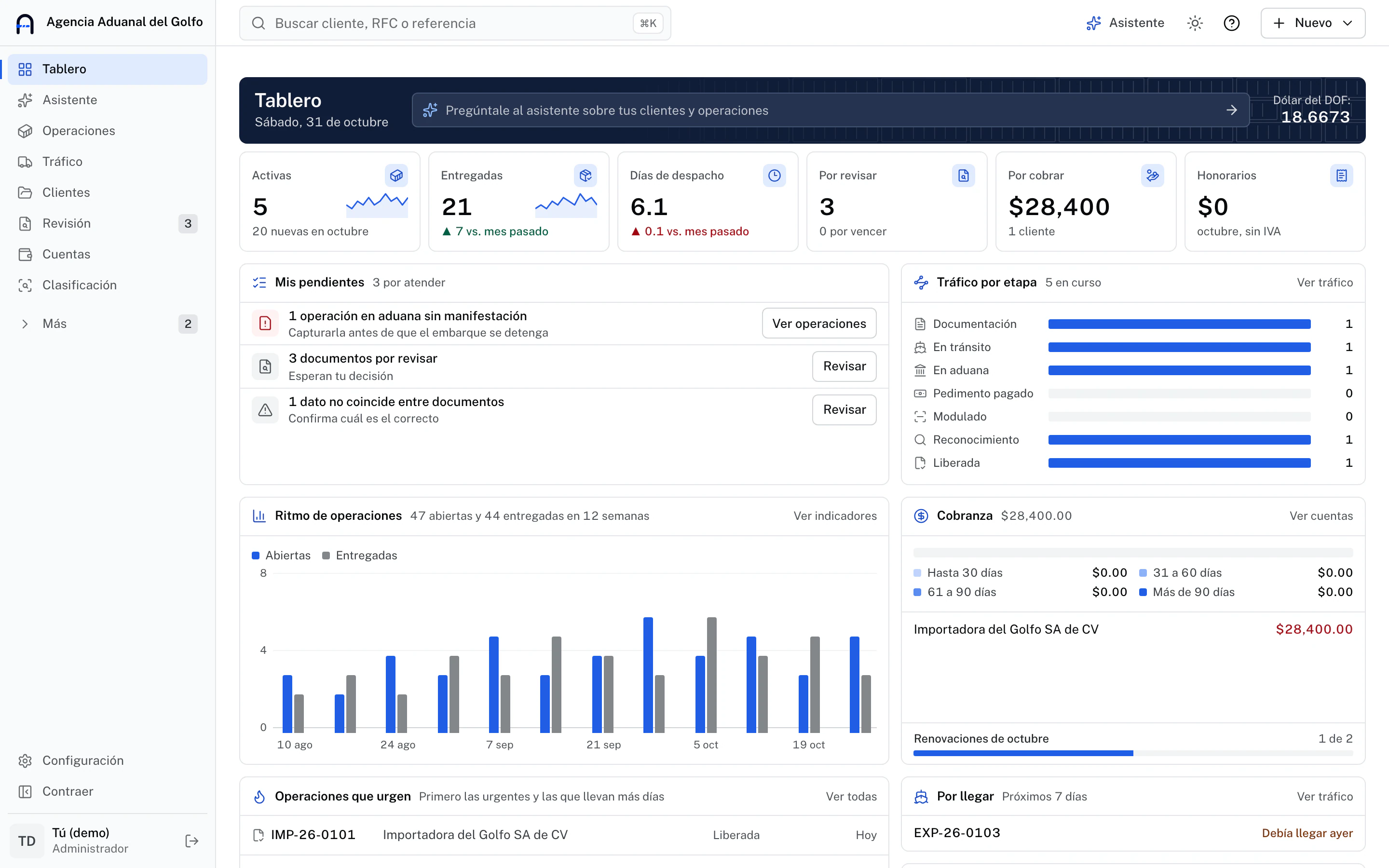
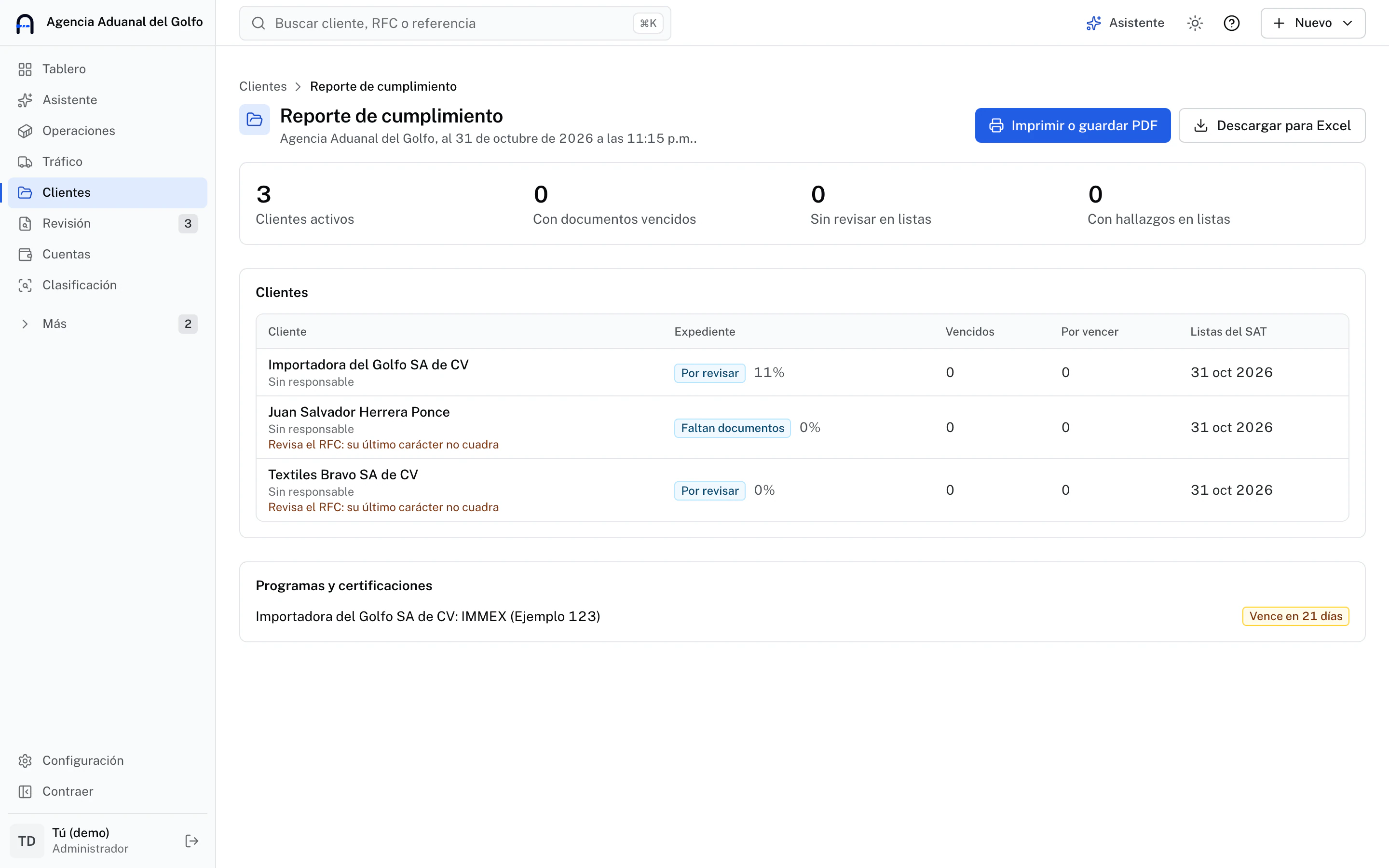
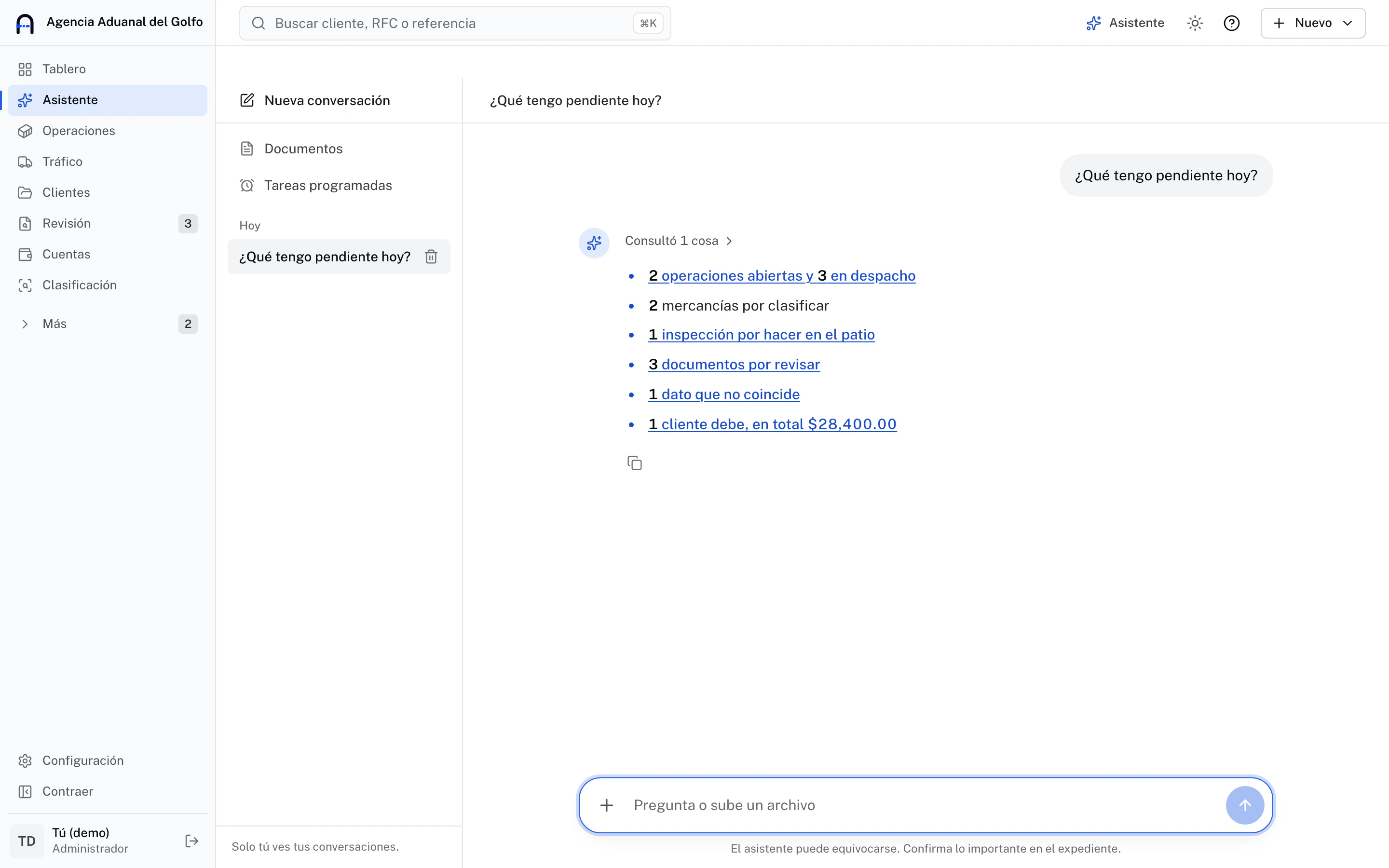
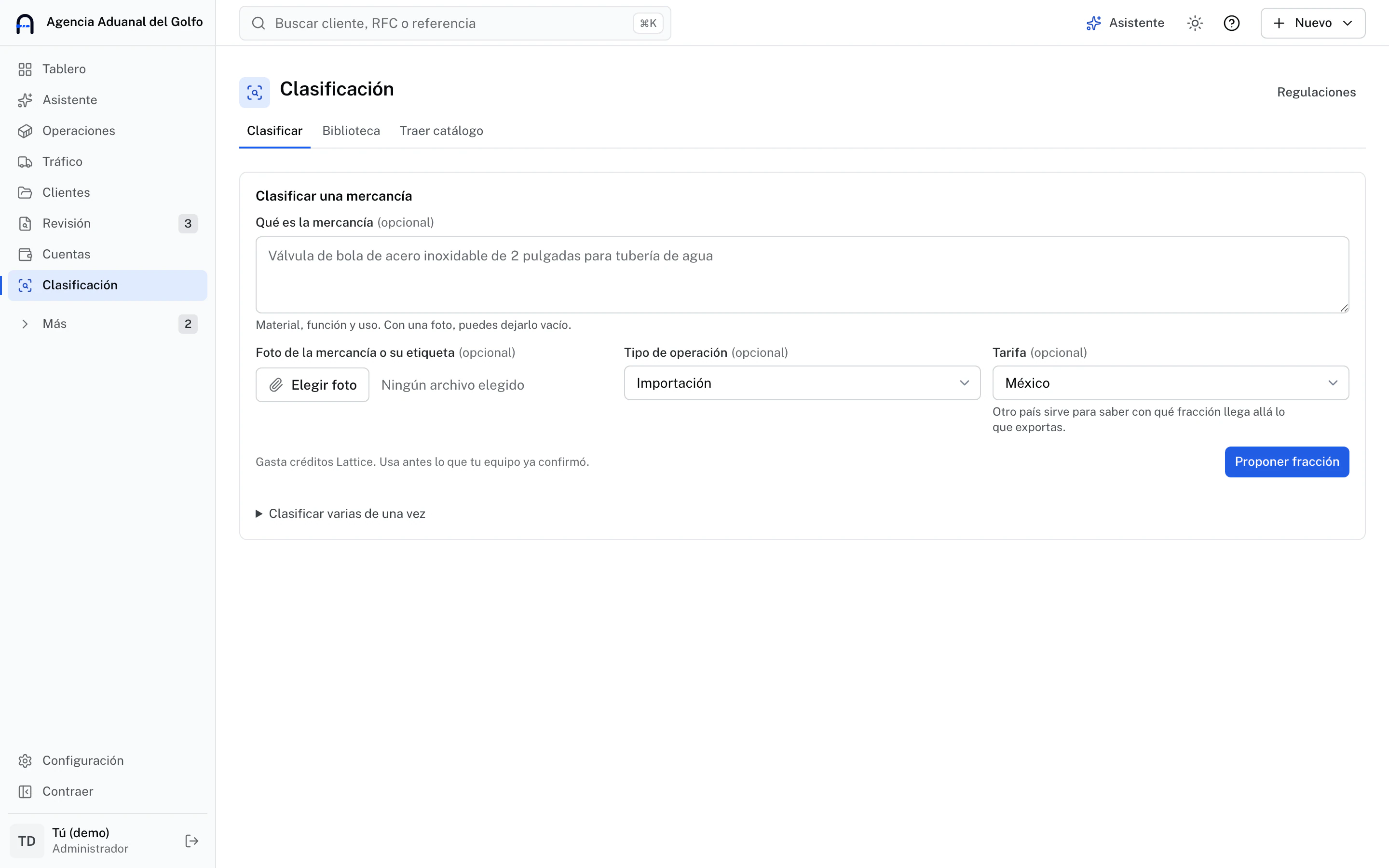
Console captures with sample data. Each brokerage dresses it with its own logo and colors.

Dashboard: the day’s figures and what comes first

UlúApp dashboard: the day’s figures, active operations, items to review, traffic by stage and collections
Daily operations

And each operation, from invoice to Value Declaration.

UlúApp hands your pedimento system the data ready to use. AI prepares, a person decides and everything is logged.

Import operation with two classified items: tariff code, NICO and the general rules behind the classification
Classification: the proposed code and its basis

Assisted tariff classification

AI proposes the tariff code and NICO from the description and spec sheet, with the rules behind it. Your classifier confirms or corrects.

  • Current tariff with NICO, built from official publications
  • A confirmed part number is reused in one click
  • It learns from what your team confirms, and that stays in your brokerage
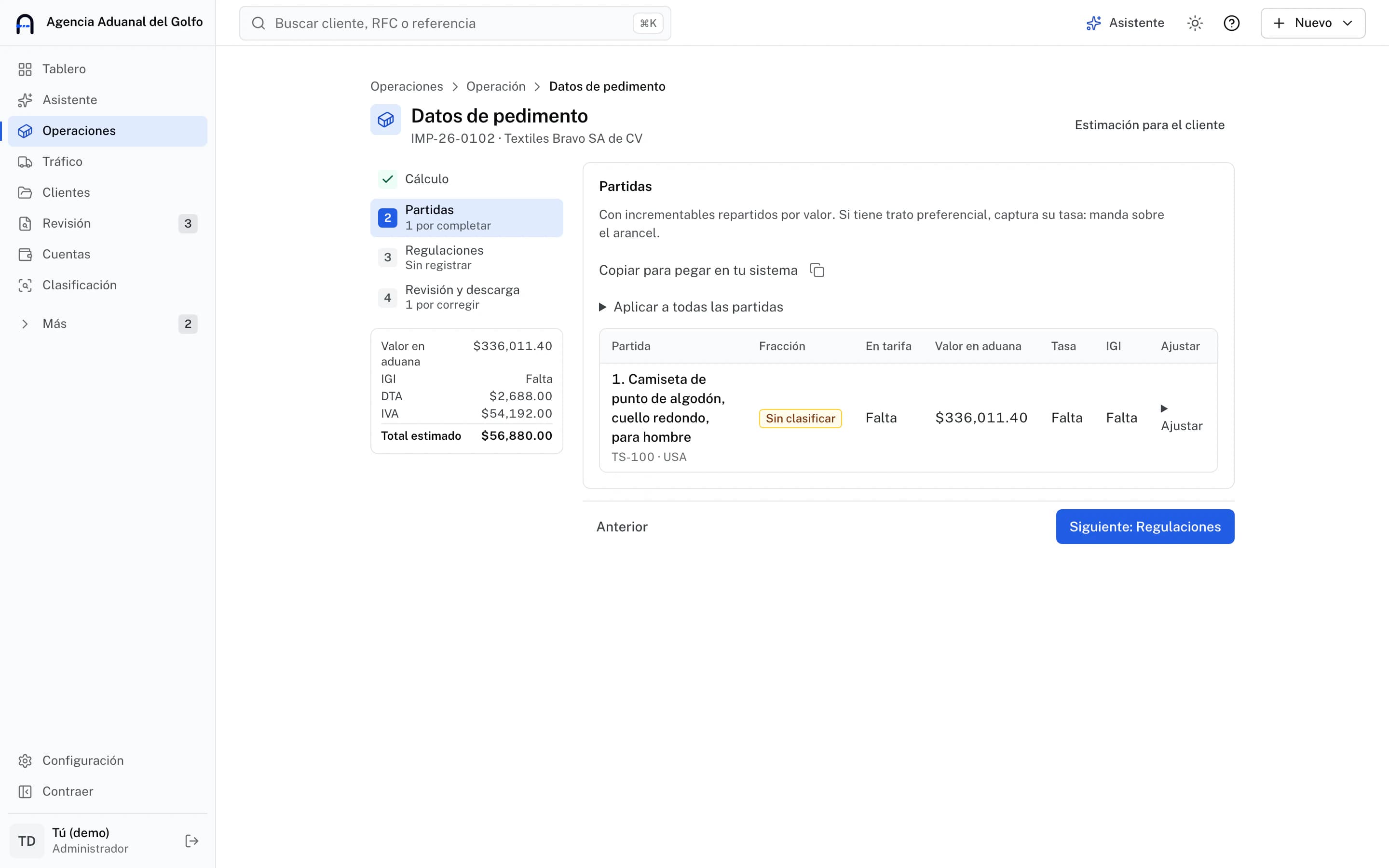
Pedimento data step by step: calculation, items, regulations and review, with the estimated total
Pedimento data, step by step

Pedimento data, ready for your system

It gathers items, values and additions with the DOF exchange rate and estimates duties, so you know how much advance to request.

  • File with the columns of your pedimento system
  • Each value copies so you can paste it where needed
  • The estimate guides you: the official amount is the pedimento’s
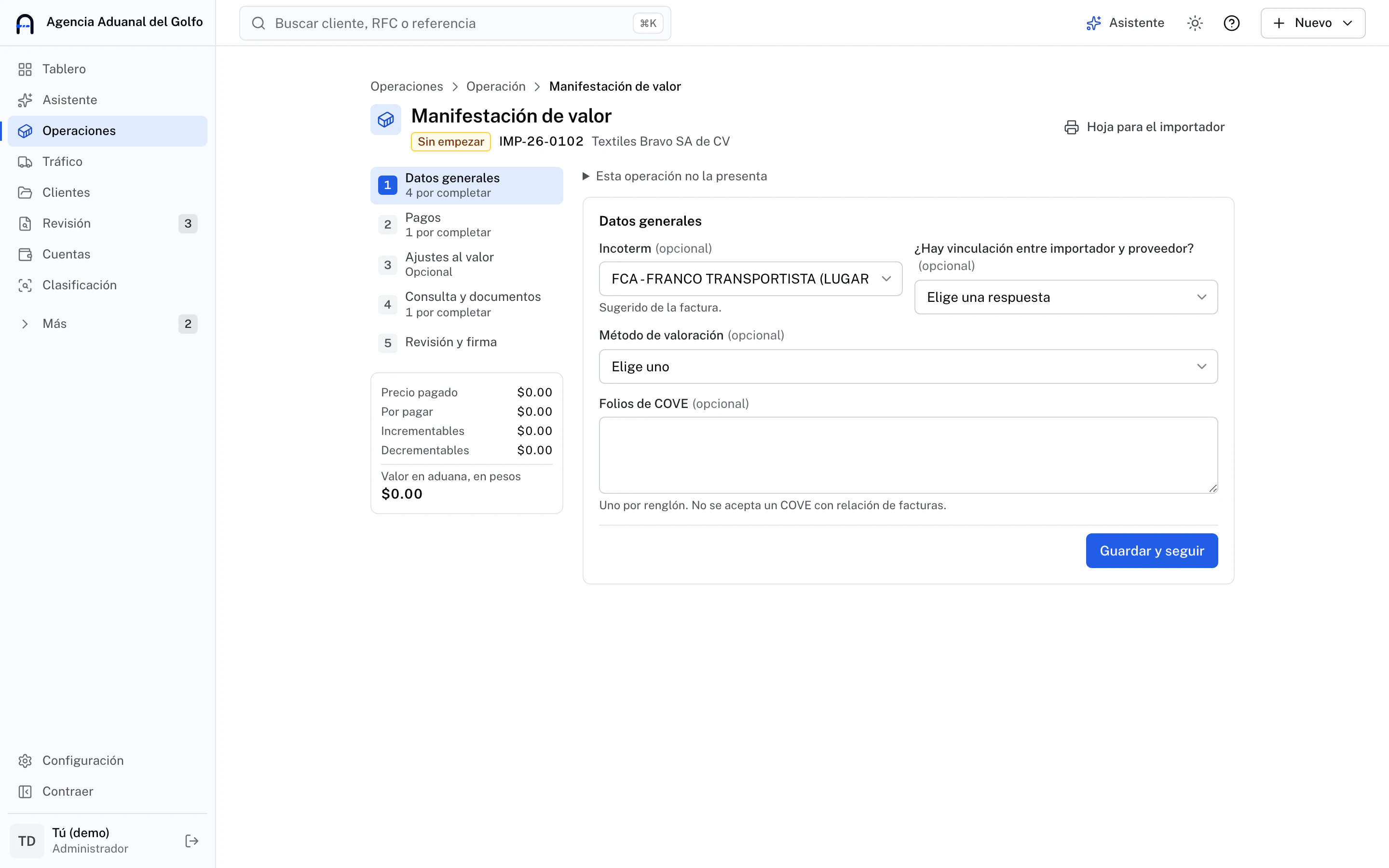
Value Declaration step by step: general data, payments, customs value and COVE, with what is left to capture
Value Declaration: what’s missing, step by step

Complete Value Declaration

It fills in what UlúApp already read from the invoice and pedimento, brings what repeats from the client’s previous one and takes you to each missing field. Direct VUCEM submission is still in testing: today you file there and keep the folio here.

  • Sheet for the importer to review and sign
  • Each value copies so you can paste it into VUCEM
  • Leaves each PDF in grayscale, at 300 DPI and up to 3 MB
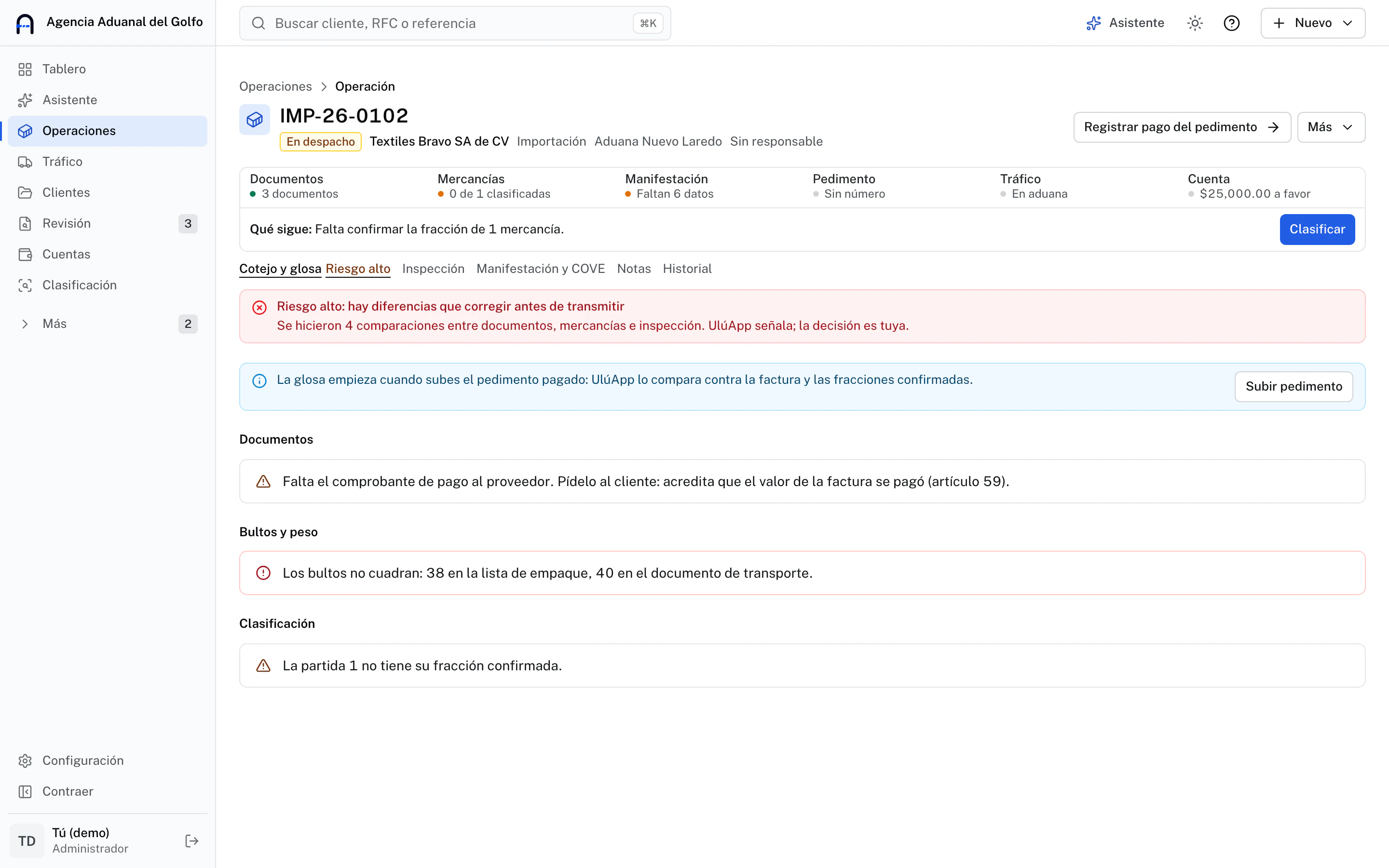
Cross-check of a high-risk operation: the supplier payment receipt is missing and packing list packages do not match the transport document
Cross-check: differences, before they reach customs

Cross-check and audit before filing

It compares documents, goods and inspection and tells you what to fix: packages that don’t add up, a missing receipt, an item without a tariff code.

  • Risk level of the operation before filing
  • The audit compares the pedimento against the invoice, the codes and what was declared
  • It points out what it finds; your team decides
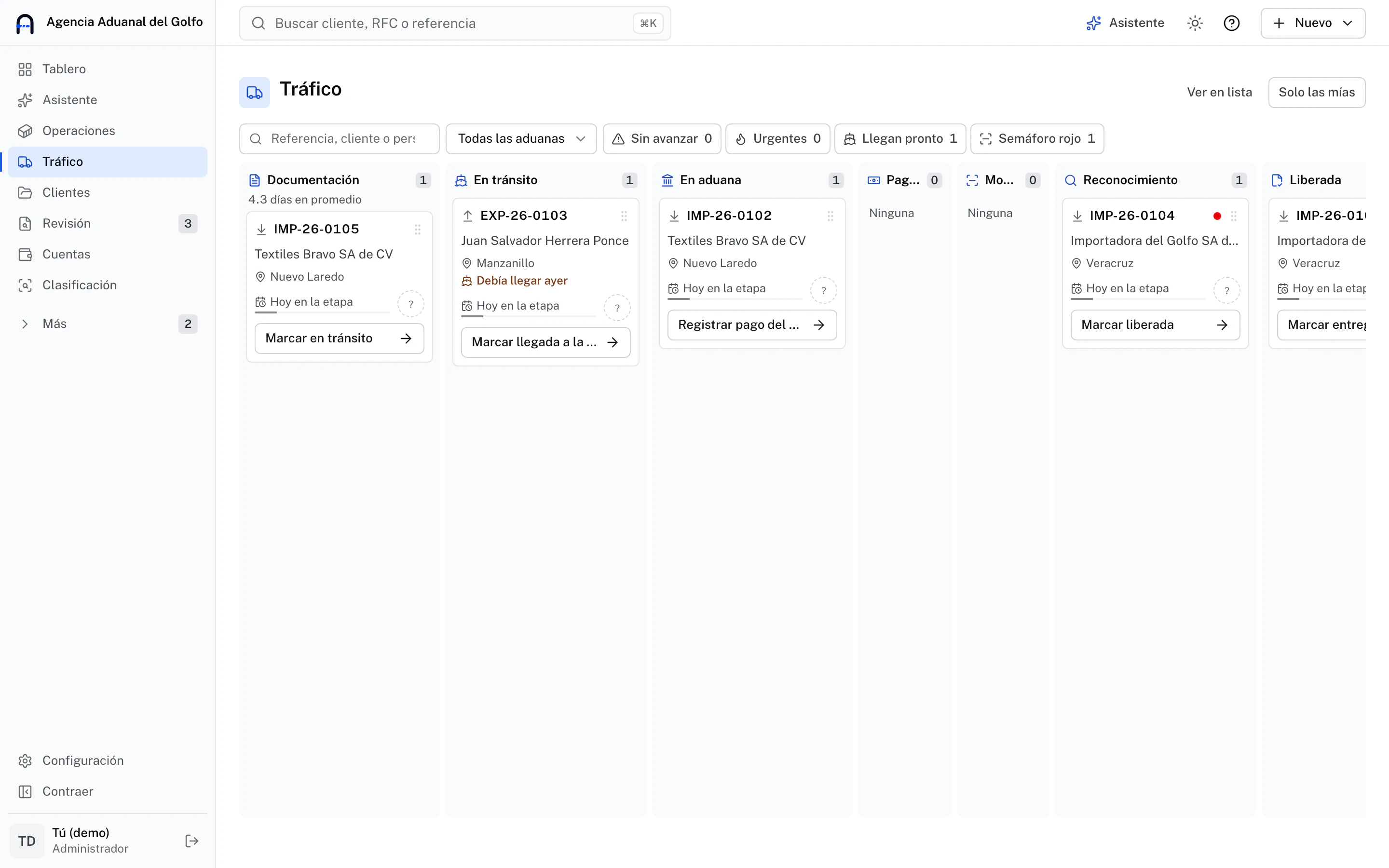
Traffic board with operations in documentation, in transit, at customs and inspection, each with its client and next step
Traffic: every shipment at its stage

Tracking of every shipment

A board with each operation by stage, from documentation to release. Your team moves the card and the client gets notified.

  • Each shipment with its customs office, date and traffic light
  • Urgent ones on top and "Only mine" for each person
  • Search also finds closed operations
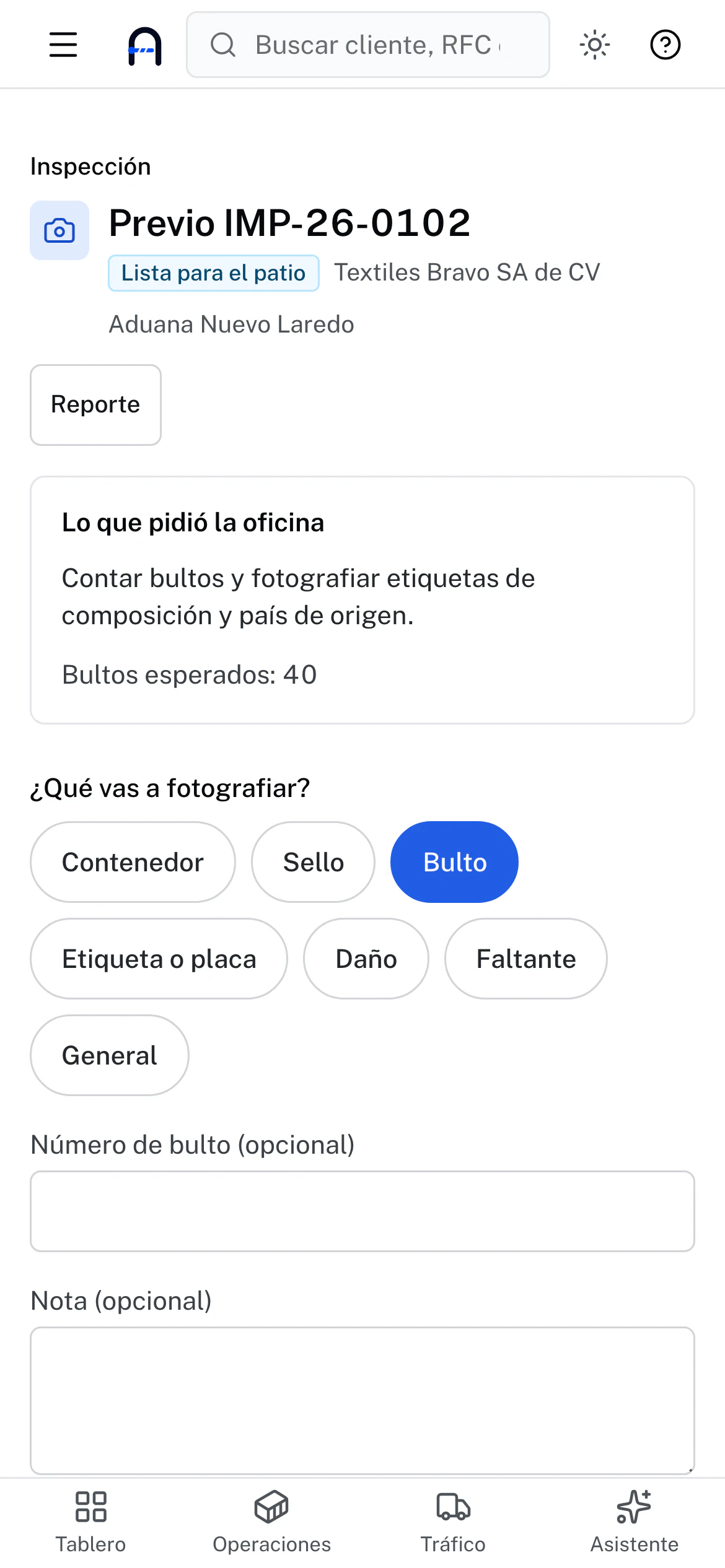
Import pre-inspection on the phone: what the office asked for, expected packages and buttons to photograph container, seal, package, label, damage or shortage
Yard inspection, from the phone

Inspection from the phone

The office prepares the pre-inspection or examination and your people in the yard capture evidence from the phone.

  • What the office asked for, visible in the yard
  • Photos by container, seal, package, label, damage or shortage
  • Inspection report ready for your client
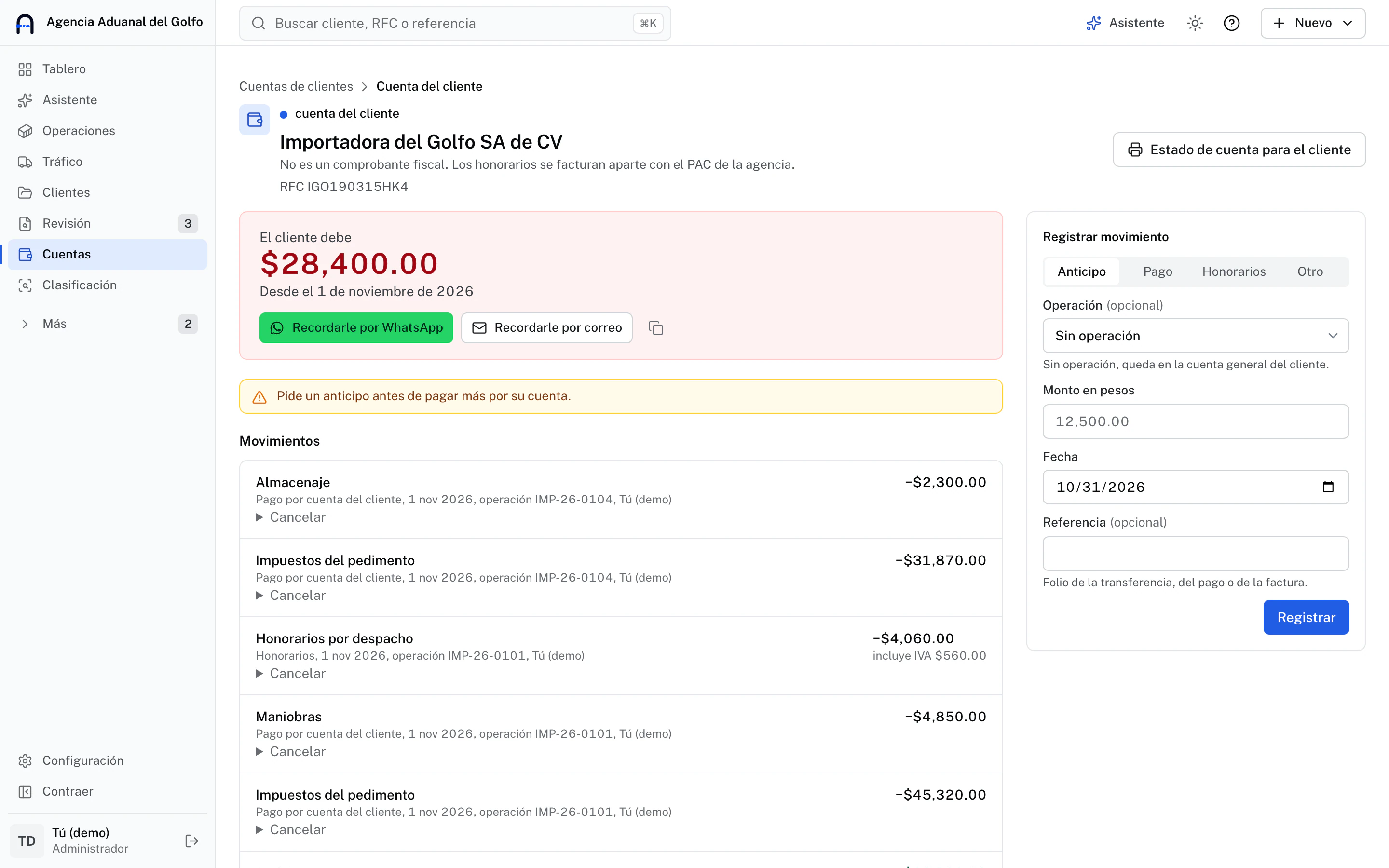
A client’s account with the balance owed, buttons to send a reminder by WhatsApp or email and each operation’s movements
Each client’s account, up to date

Client account and SAT lists

What each client owes or has in favor, with advances, payments on their behalf and fees, invoiced separately. And every day it checks your clients against the SAT lists.

  • Warns you before paying more than the advance covers
  • Ready-made message to remind the balance by WhatsApp or email
  • Daily check against the 69-B and unlocated taxpayer lists
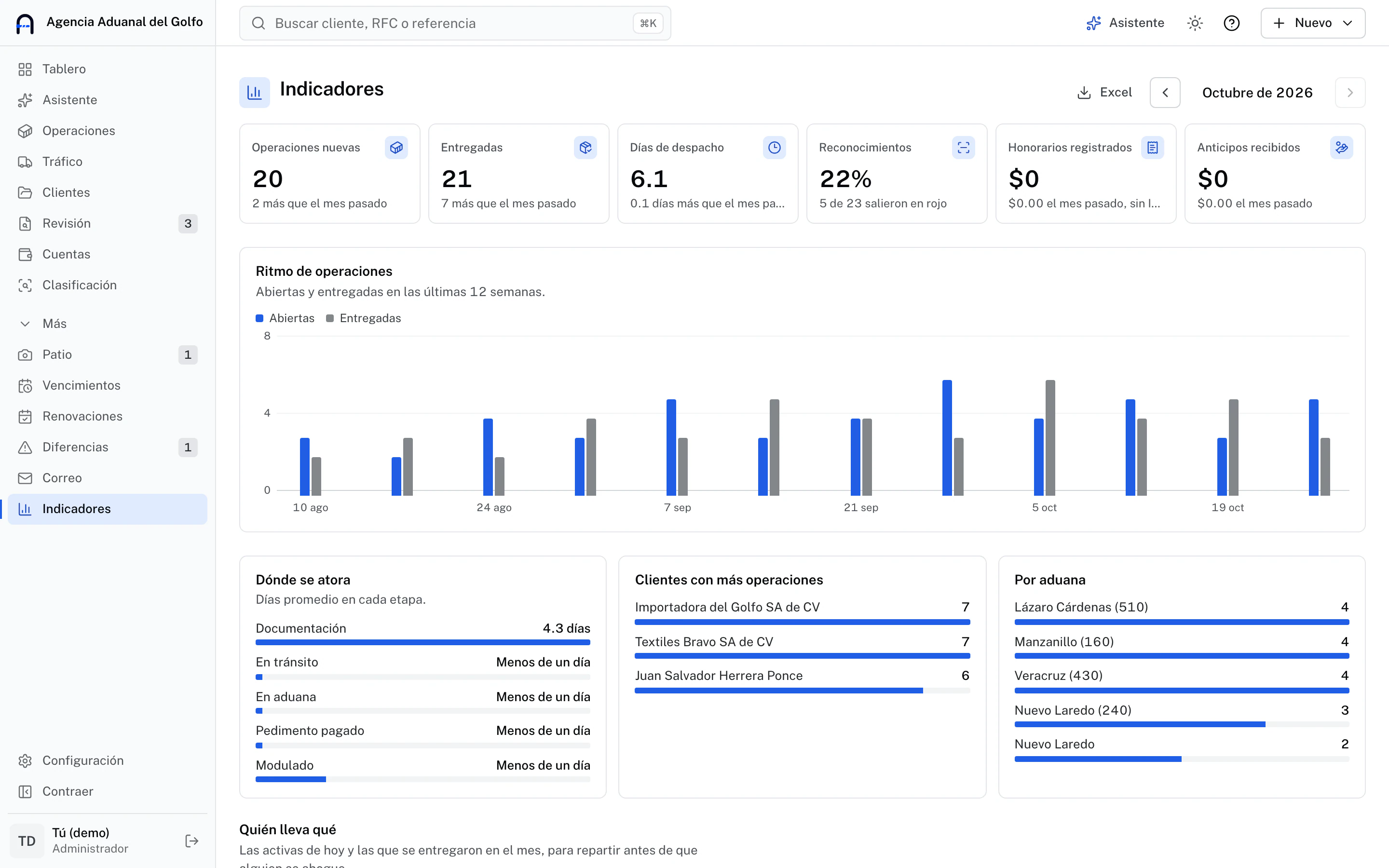
Monthly metrics: open and delivered operations, clearance days, examinations, fees and weekly operation pace
Metrics: where operations get stuck

Your brokerage’s metrics

This month against last: clearance times, examinations, money and the stage where each operation gets stuck.

  • Who handles what, person by person
  • How often assisted classification gets it right, with your data
  • Report by client and month, to print or export to Excel
First client

Built with Injoy Agencia Aduanal, in Veracruz.

UlúApp was born with the Injoy team, a customs and transport brokerage in the port of Veracruz, around its holders, its document catalog and its validity periods. Everything specific to a brokerage lives in configuration, so your file comes out the way your regulator asks. Today we offer it to a few brokerages, with close support.

The name comes from San Juan de Ulúa, the fortress in the port of Veracruz, the historic gateway of Mexico's foreign trade.

holders in the portfolio it was designed with
50 to 60holders in the portfolio it was designed with
new holders a month
≈ 3new holders a month
Questions

Worth knowing before you sign up

No. UlúApp prepares the data and gives you a file with your system's columns. The pedimento is still prepared and validated where you do it today.

Where it is used

Request access

Bring UlúApp to your brokerage.

Leave your details and we will write to activate your access. Tell us what is most urgent so we know where to start with you.

What's most urgent? (optional)

We use your data only to tell you about UlúApp. Privacy notice

Requesting access is free and carries no commitment · We reply by email