
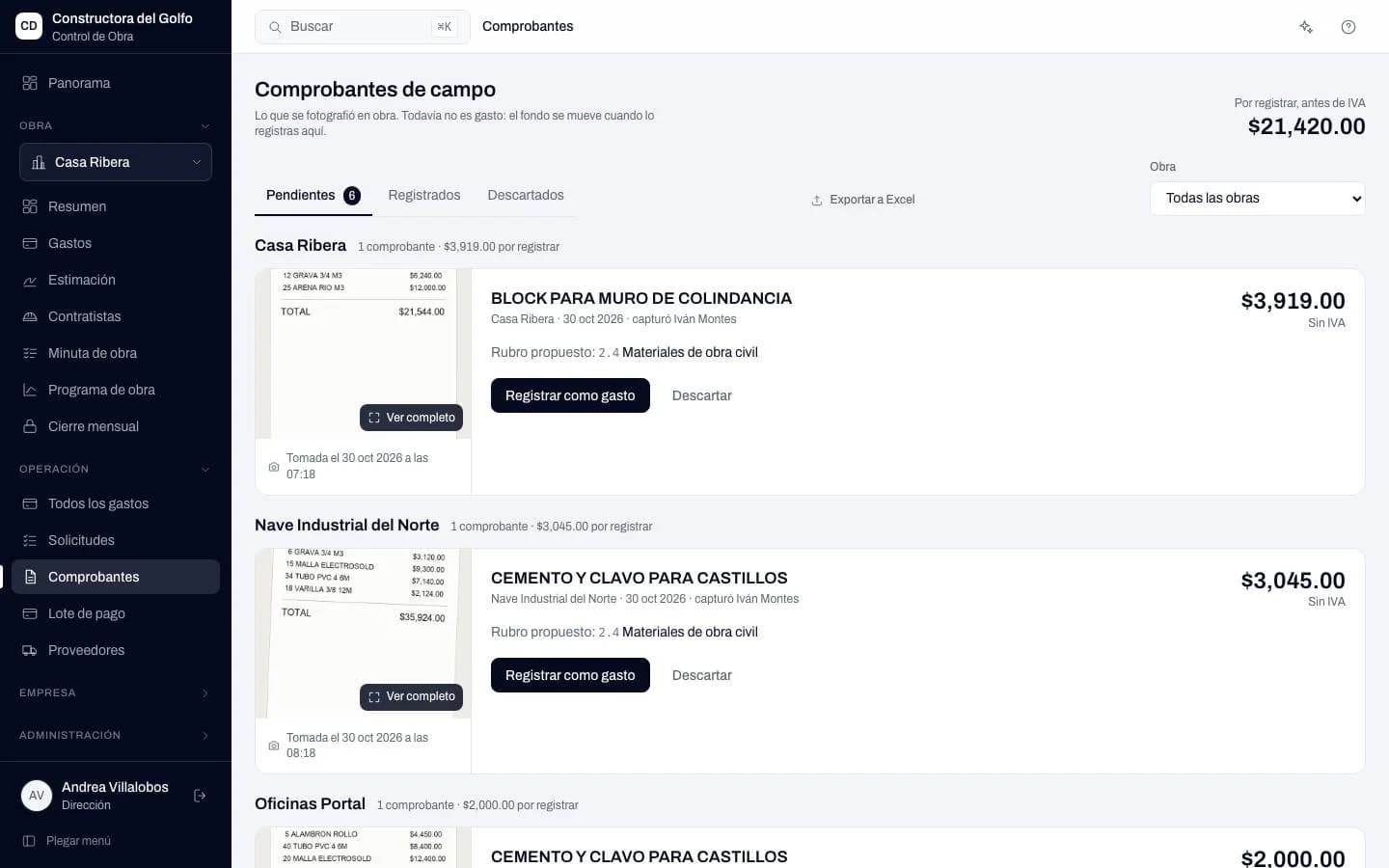
Field receipts
The receipt photo arrives with its job and amount. Accounting records it as an expense or discards it.
Control de Obra · Waitlist
It replaces the Excel your construction company uses to run the money on its jobs. You record the expense, and the balance, fund, client estimate and payment batch are calculated from there.
In Excel, each expense gets typed into the job sheet, the client sheet and the payment sheet. Someone fixes one, forgets the others, and nobody knows which number is right until the client asks.
3 timesthe same expense gets typed by hand, and all three figures have to match.
Expense register
Money goes out once it has passed through the right people. And anyone can see which signature a request is waiting on, without asking on WhatsApp.
Asks for the job's materials, then confirms what arrived.
Compares suppliers and drafts the batch. Sees only the jobs assigned to them.
Approves up to its limit. Anything above it, or that takes the fund below the minimum, goes to the directors.
Adds the second signature and the expense enters the register.
Every week, suppliers and amounts in one batch. Once issued, it doesn't move.
Screens from a sample construction company, with fictional data. The app is in Spanish.
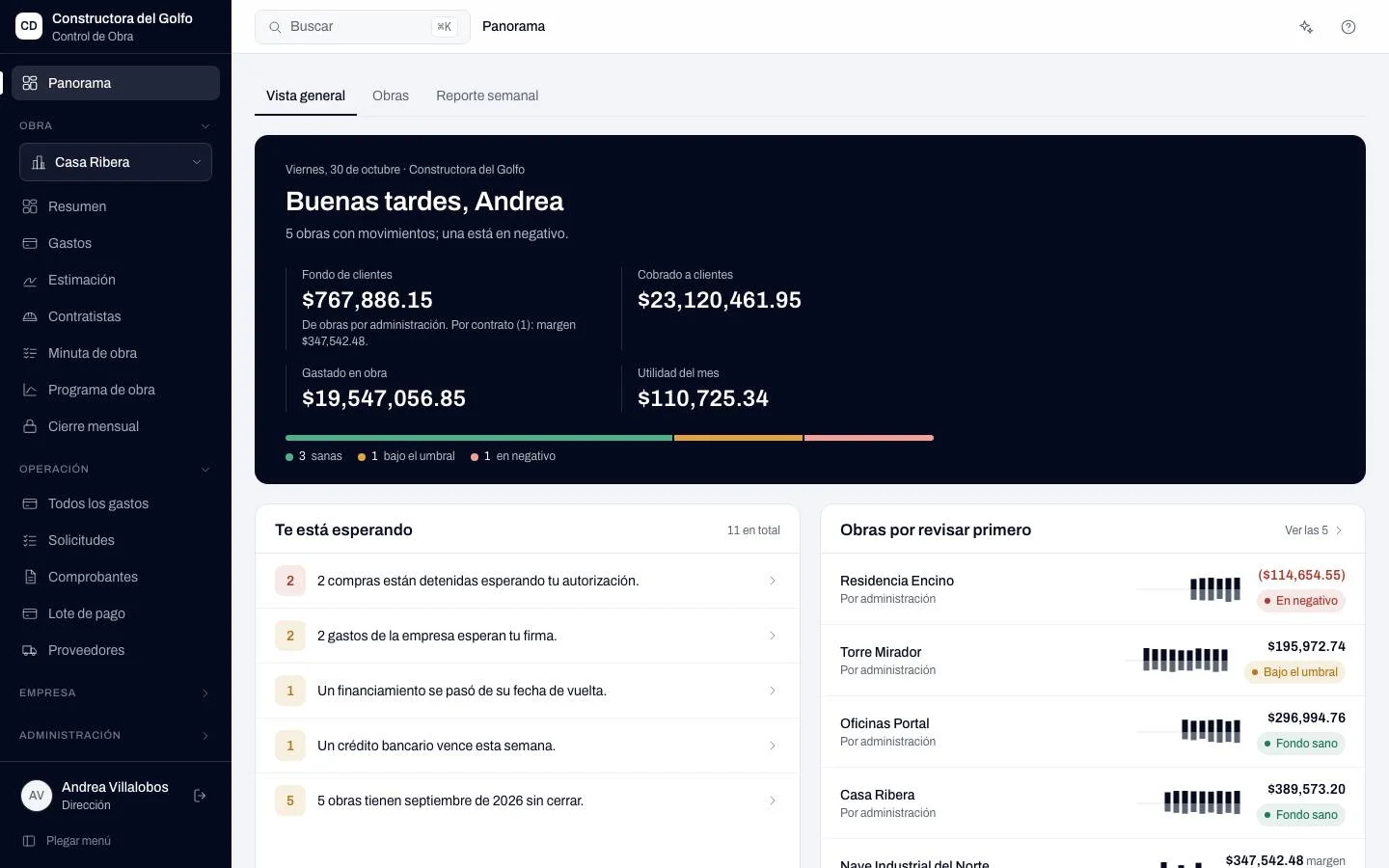
Fund, collections, spending and profit for each job, with whatever is waiting for your signature on top.
The receipt photo arrives with its job and amount. Accounting records it as an expense or discards it.
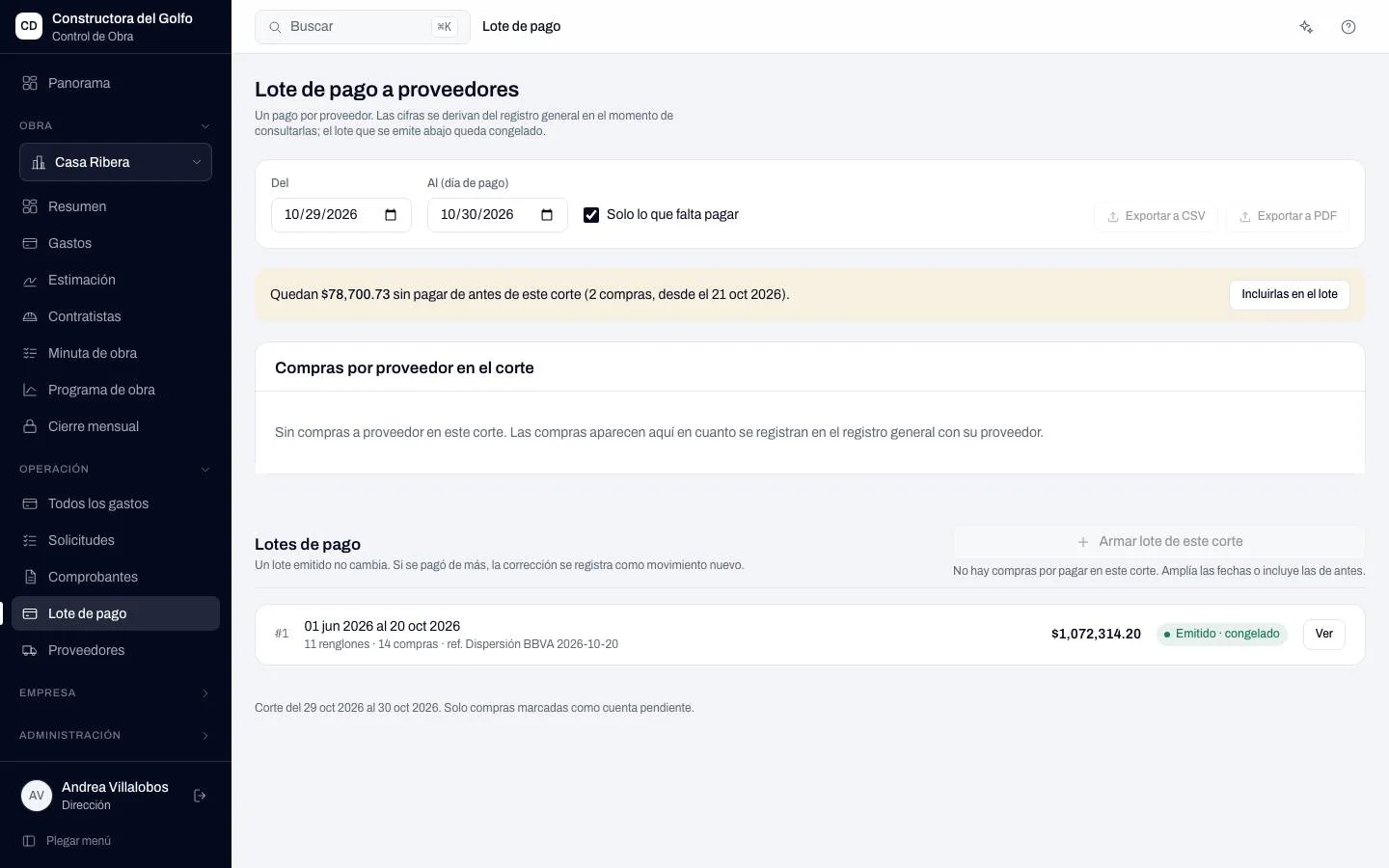
Gathers everything approved across jobs, by supplier and cutoff, ready to pay from your bank.
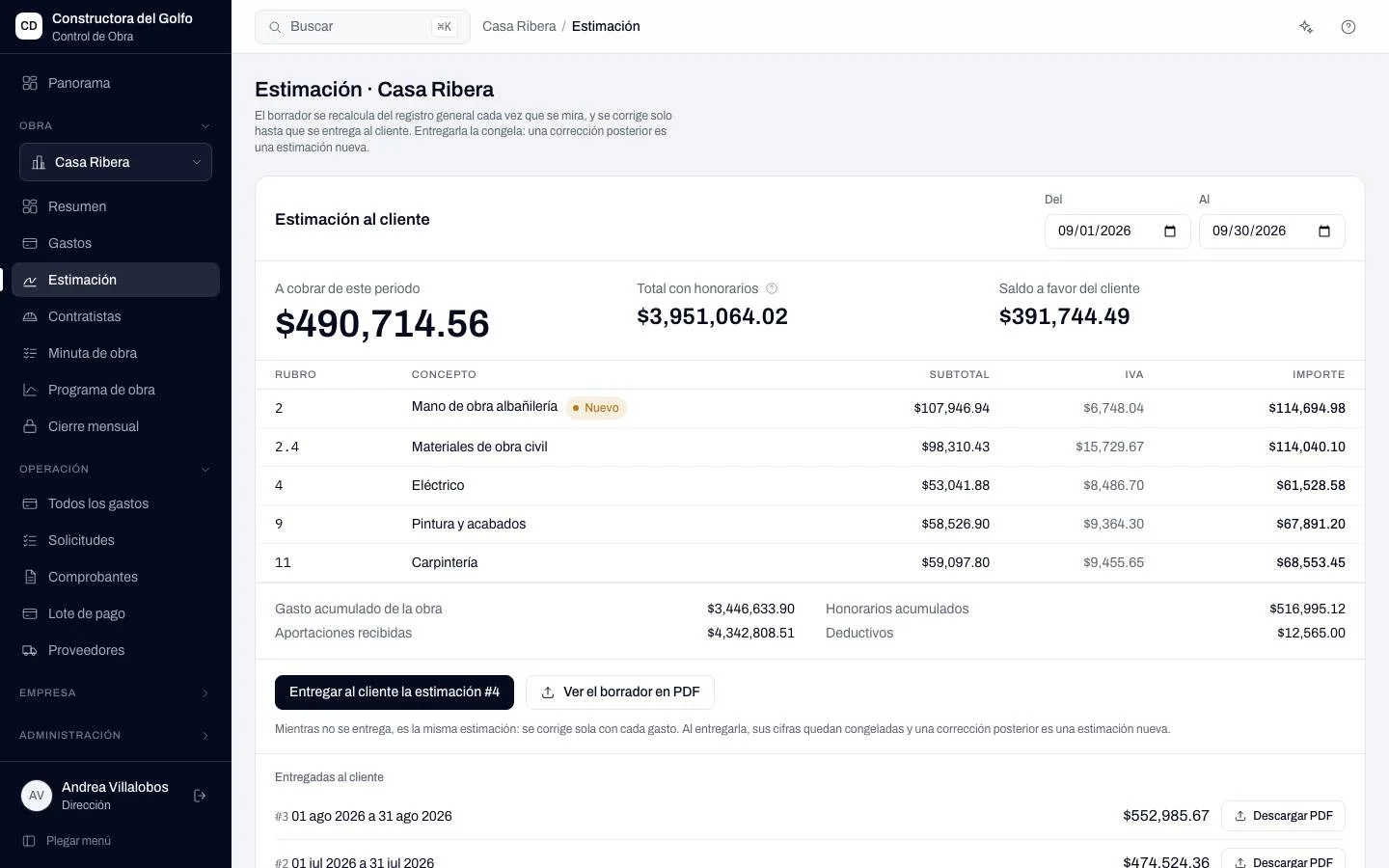
Built from the register with categories, fee, contributions and deductions. You deliver it as a PDF and it freezes.
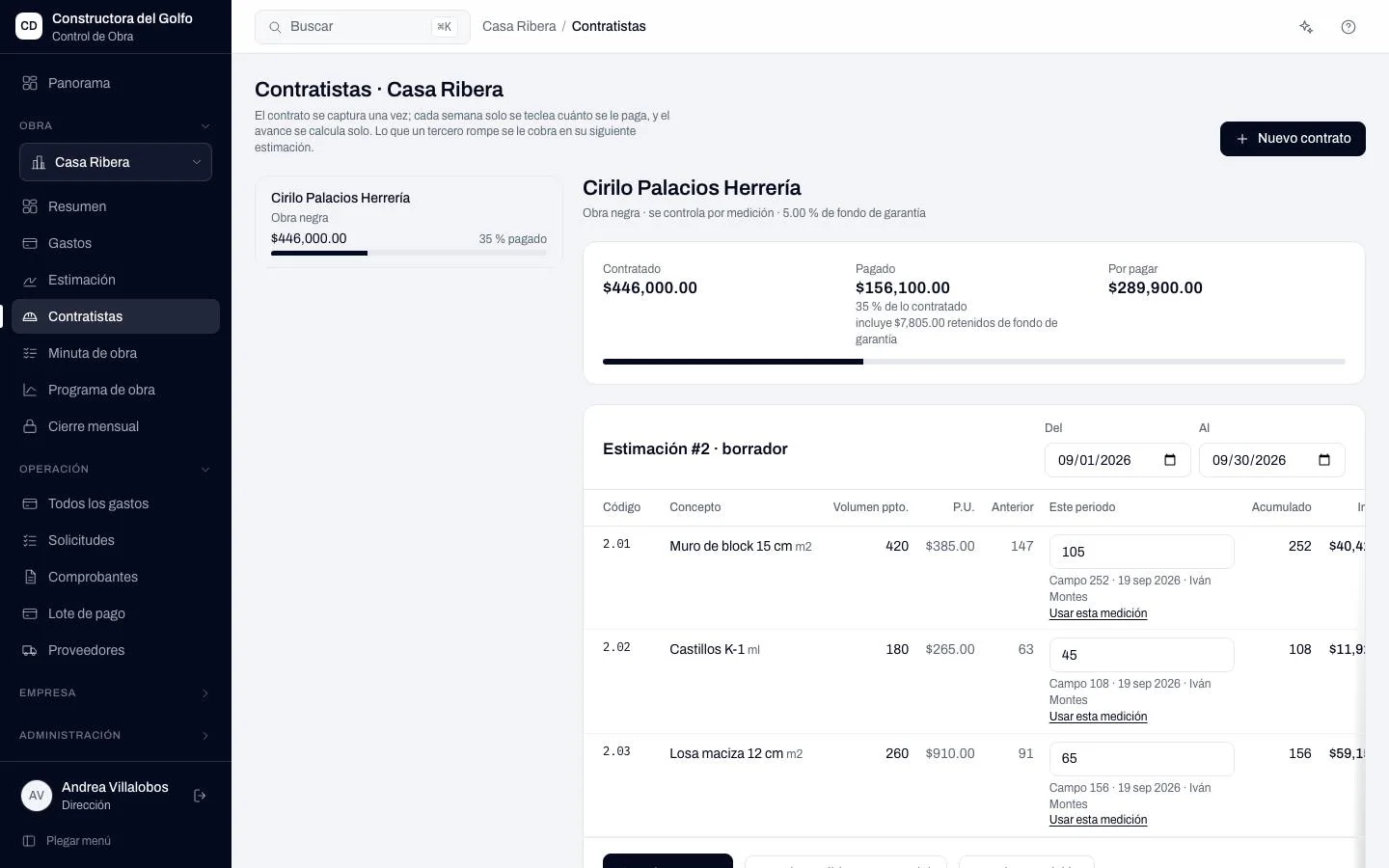
Each contract with its catalog, what was measured this period, the retention and what's left to pay.
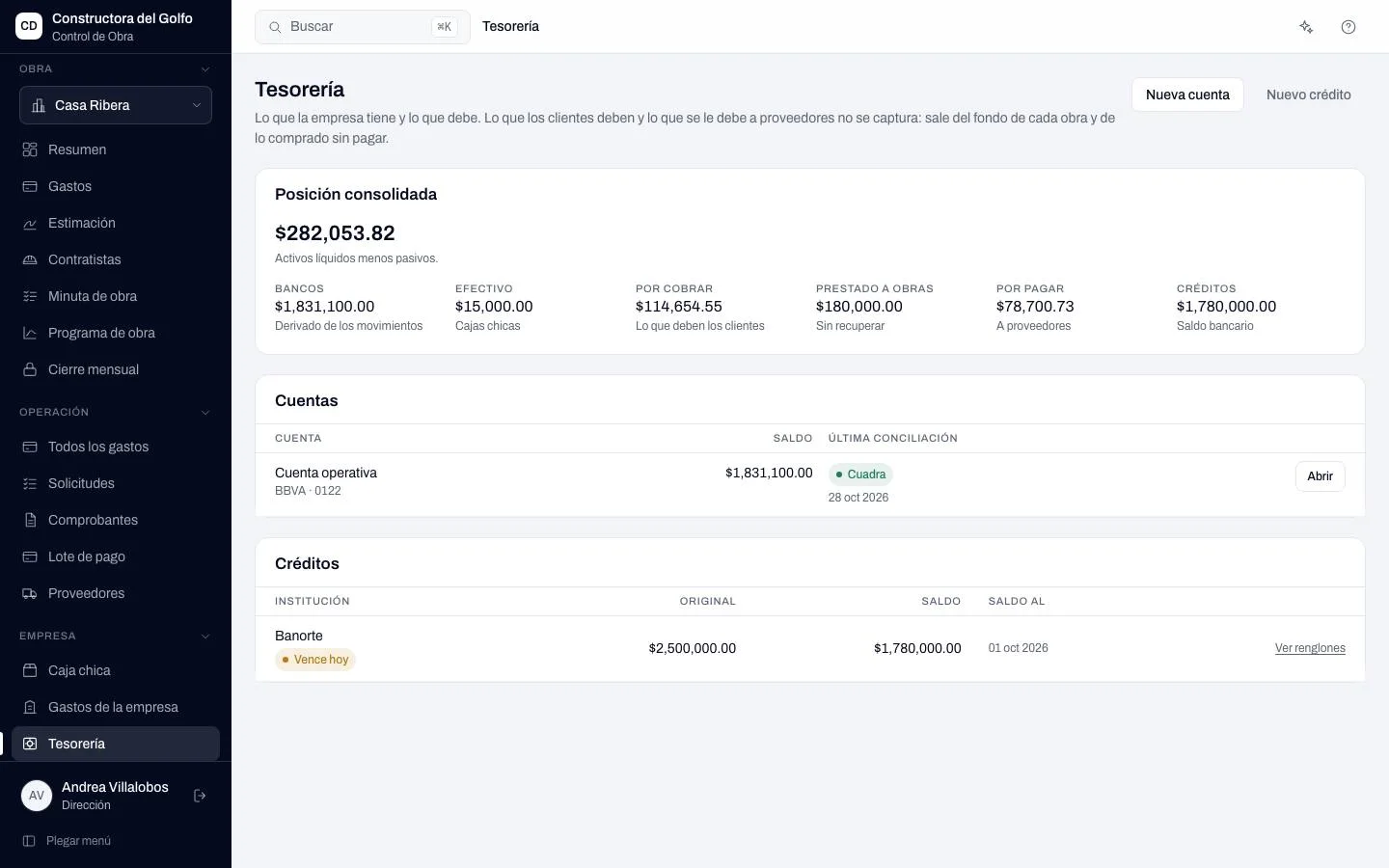
Accounts, credit lines and cash in one position, with no separate report to build.
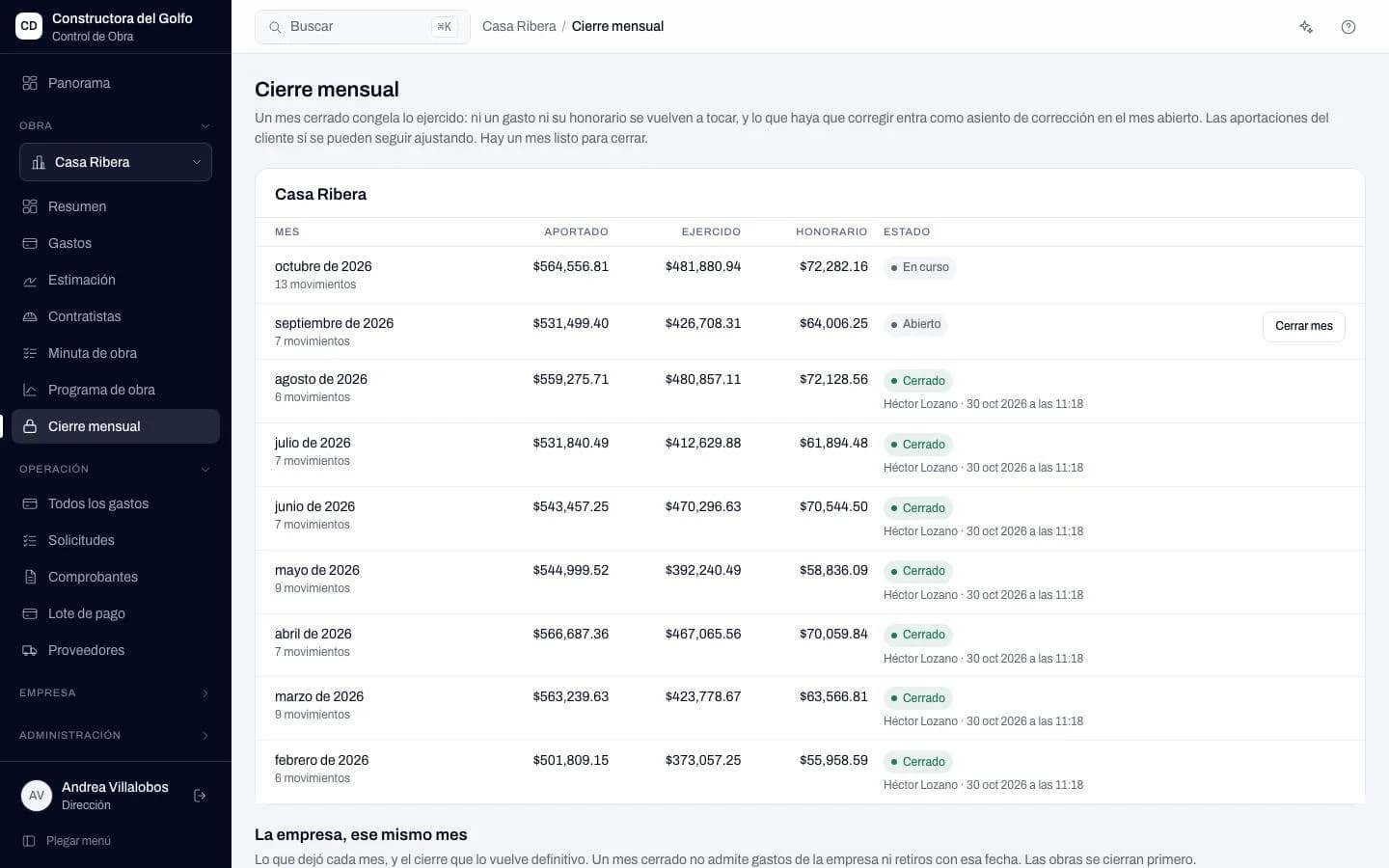
What's closed stays closed. A later correction enters the open month, in plain sight.
A spreadsheet lets anyone change any cell without a trace. Here every movement has an author, a date and a signature.
Purchasing enters only its assigned jobs. Site supervision and purchasing don't see the job's money.
A delivered estimate or issued batch freezes. Any adjustment enters as a new movement.
Each action is chained to the previous one. Nobody edits or deletes backwards.
REPSE, tax compliance opinions and insurance policies with their expiry in view.
Traffic light for each category against its budget
Each job is set up with its own contract type.
You bill real cost plus your fee. Each estimate comes from what was spent.
You bill what was agreed. Your profit is the gap against cost, and you see it as the job advances.
You bill what was executed per line item and compare it with what it cost you.
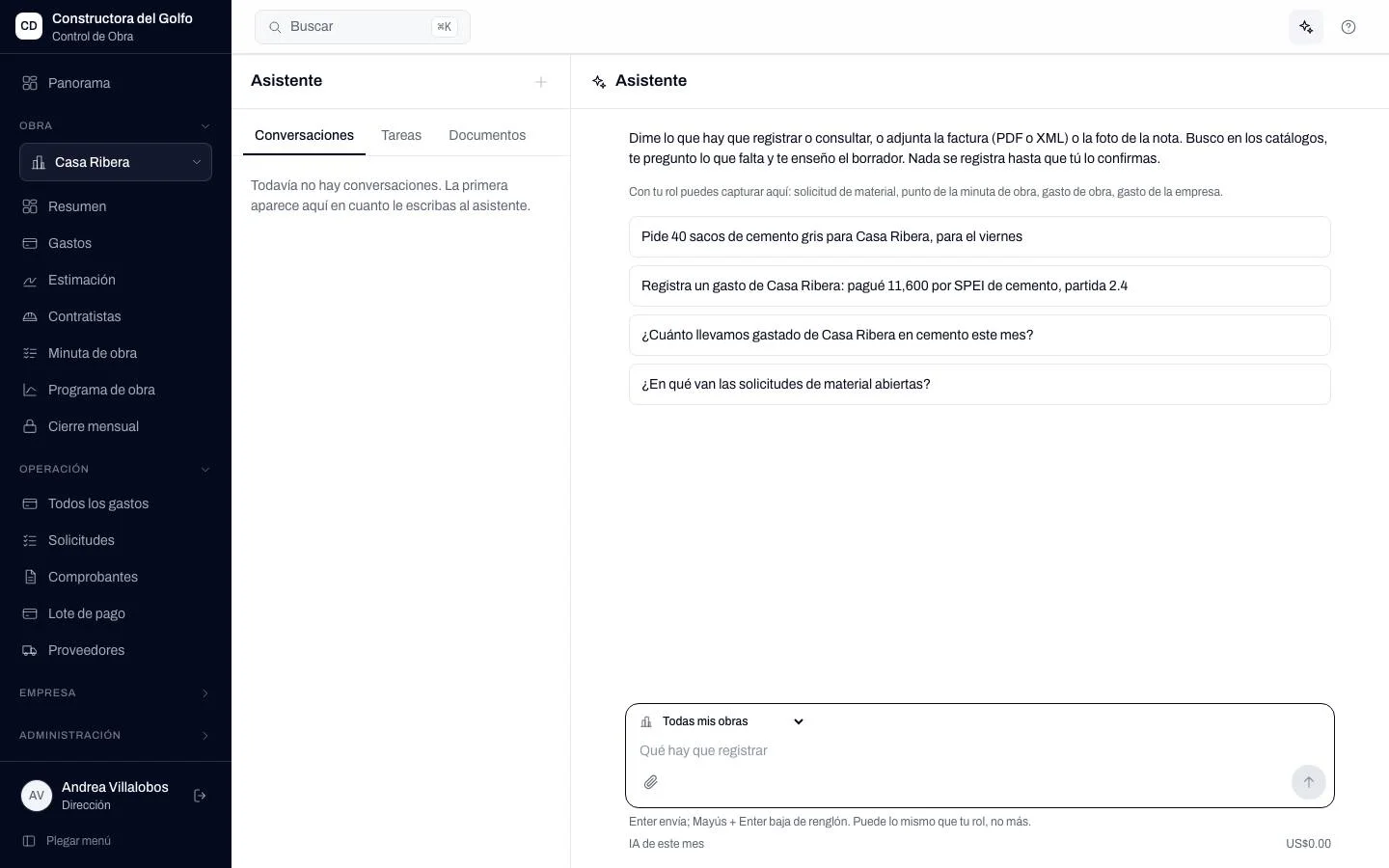
Tell it to order 40 bags of cement for the Ribera job on Friday, or hand it the invoice. It asks for what's missing, builds the draft and records it when you confirm.
We do it with you during setup: jobs, categories, suppliers and opening balances. Your Excel can stay alongside until the numbers match.
Leave your details and we'll write when we open spots. Tell us what's most urgent so we know where to start with you.
No cost · No commitment